Record every result, not just count it.
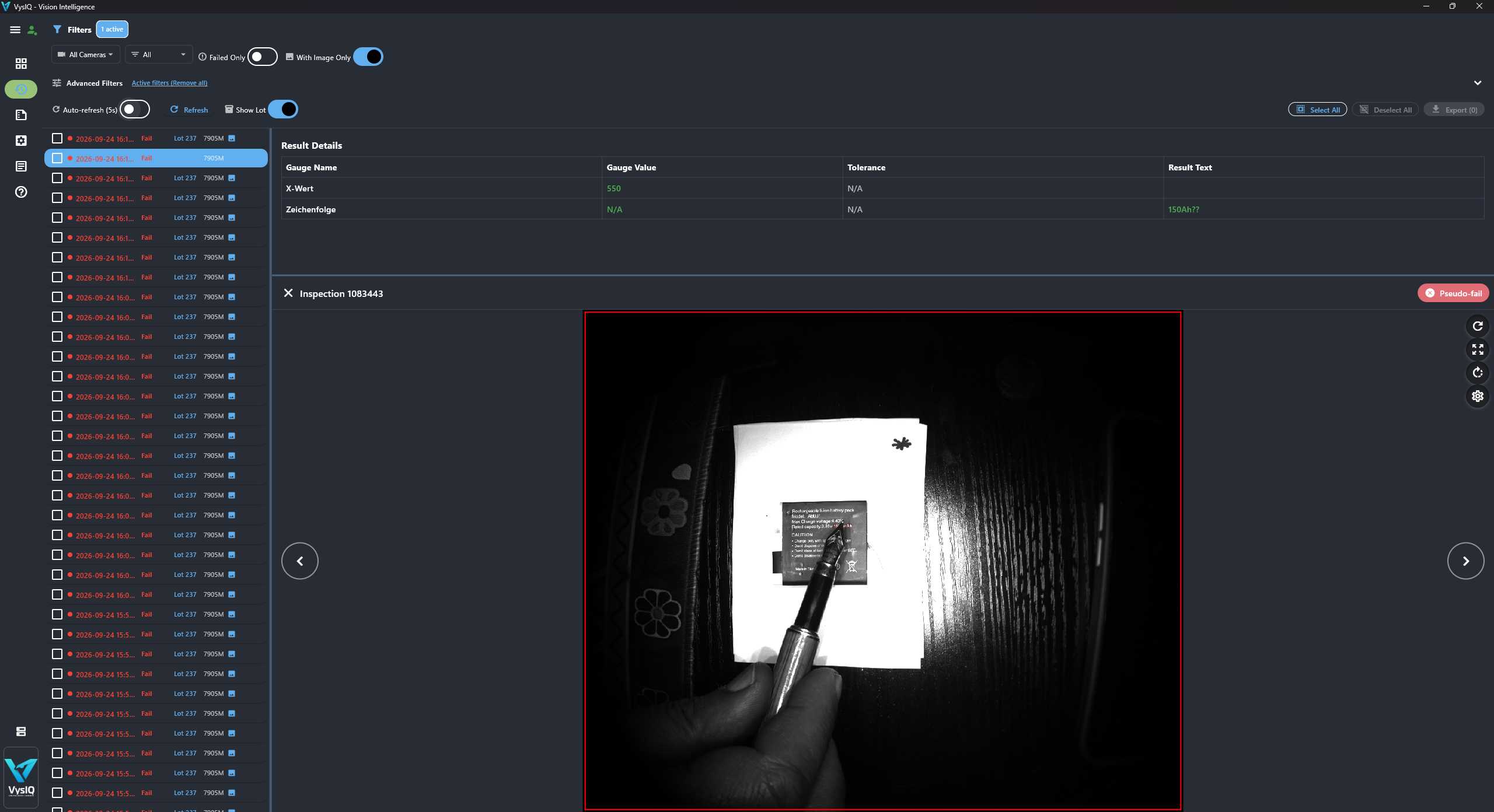
Each inspection is stored with the image, the camera's graphics overlay and all mapped measured values, linked to job, lot and shift.
Vision Intelligence for Cognex In-Sight
VysIQ turns every In-Sight inspection into traceable quality data.
An on-premises server connects to your cameras through the In-Sight HMI interface and records every result with image, graphics, measured values, lot and shift. Live dashboards, trend analysis and automated reports for engineering, quality and production.
BORN IN SYSTEM INTEGRATION
VysIQ comes out of many years of integrating Cognex vision systems into production lines. Across projects, one pattern kept repeating: plants with real visibility into their vision systems got far more out of them.
For them, the camera is not just a source of pass/fail signals for the PLC. It becomes an instrument for continuous quality and process improvement. Without that visibility, the knowledge stays inside the camera: images are overwritten, measured values are gone with the next trigger, and root-cause analysis starts with guesswork. VysIQ makes this visibility the default, without changing your inspection logic.
Each inspection is stored with the image, the camera's graphics overlay and all mapped measured values, linked to job, lot and shift.
NOK images, a Pareto of failing tools and measurement trends point to the process step that needs attention.
Mark false rejects and escapes, adjust tolerances and verify the effect on yield before and after the change.
COMPATIBILITY
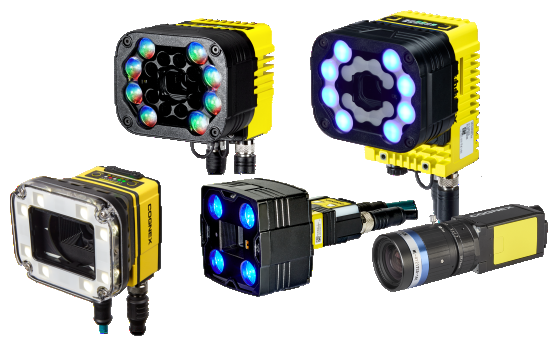
No new cameras, no new inspection software. VysIQ connects to Cognex In-Sight cameras over Ethernet and reads each result the moment it is produced.
 IN-SIGHT EXPLORER
Cameras configured with In-Sight Explorer. EasyBuilder and spreadsheet jobs are both supported.
 IN-SIGHT VISION SUITE
Cameras configured with In-Sight Vision Suite, including EasyBuilder jobs and custom views with write-back.
SUPPORTED SERIES
No purchase order and no cost for the pilot. We agree on clear goals with you, you run VysIQ on your own cameras, and you decide based on results.
OUT OF THE BOX
Your inspection logic stays on the camera. VysIQ reads the job structure and builds its data model of jobs, inspections and gauges automatically.
VysIQ reads EasyBuilder results directly. Every tool that contributes to the job result (Include In Job Pass) becomes a gauge with value, limits and pass/fail status. No changes to the job are needed.
# mapped automatically (example)
Job        Housing_Check
└ Inspection 1
  ├ Caliper_1   12.48 mm   OK
  ├ Pattern_1    0.93      OK
  └ Blob_1       412 px    NOK
Add a small set of named cells to the job. VysIQ generates the snippet for you, and the built-in Spreadsheet Explorer adds gauges and saves the job back to the camera, with a backup.
# job result and counters
Job.Pass      Job.PassCount    Job.Reset
Job.Fail      Job.FailCount
# per measured tool
Edge_1.Name   Edge_1.Value     Edge_1.Pass
Edge_1.Min    Edge_1.Max       Edge_1.Unit
# several inspections per job
Inspection_2.Blob_1.Value
One Windows installer: full, server only or client only.
Name, IP address, port and license key. The camera connects immediately.
Jobs, inspections and gauges are detected from the results. Missing tags are reported as clear warnings.
Arrange widgets on a grid, combine cameras on one dashboard and export layouts to reuse them.
YOUR LINE. YOUR LIVE VIEW.
Give operators the detail they need, without losing sight of the line.
Build layouts for a machine, team or shift from more than 20 widget types, grouped into live, chart and statistics widgets.
Customizable per user. Every user sets up their own dashboard layouts, so operators, vision engineers, quality and production each see exactly the data relevant to their role. Layouts can be exported and shared across workstations.
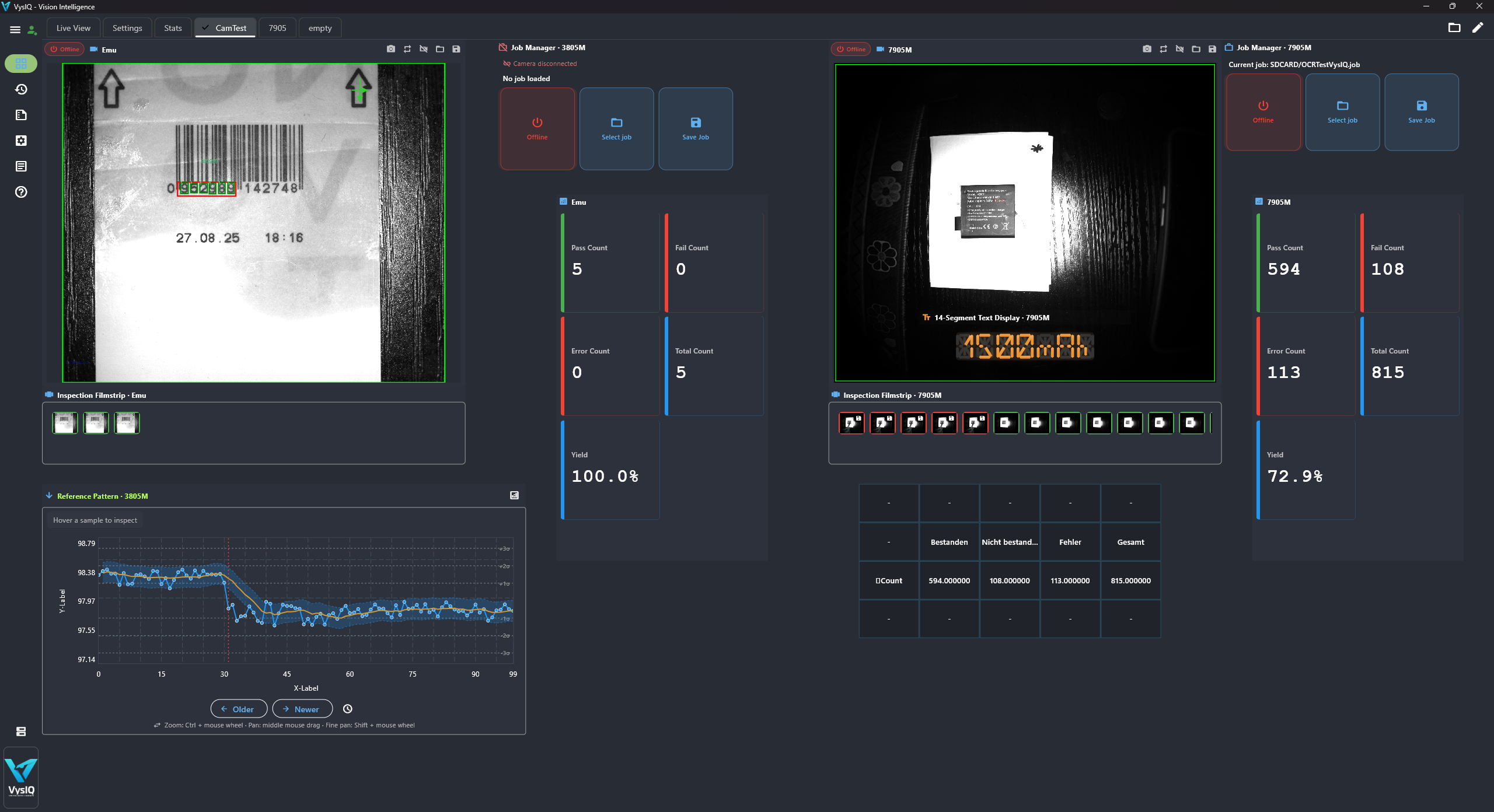
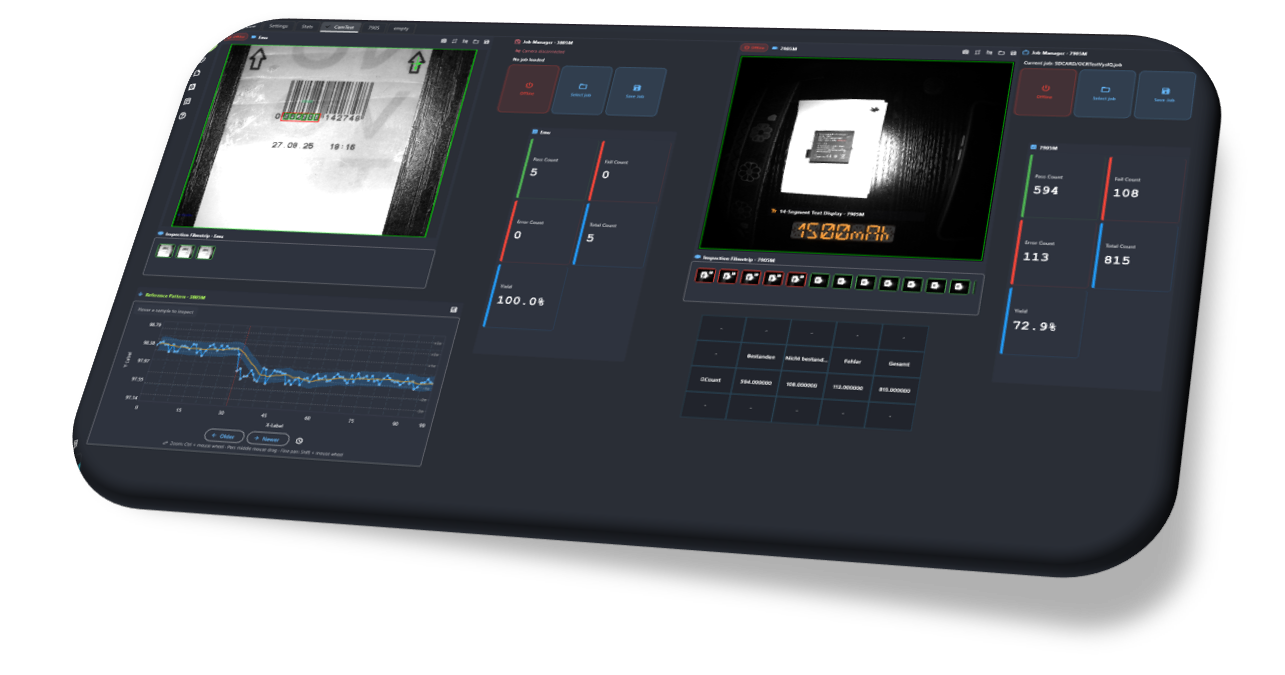
SEE THE PRODUCT IN ACTION
Take a look inside the VysIQ workspace.
QUALITY, WITH CONTEXT
The image. The measurement. The moment.
Every inspection is traceable back to its part, image and measured values. Use Pareto charts for recurring failure causes, trends for drifting measurements and scatter plots to correlate two gauges.
INSIGHT BEYOND THE LINE
Cover the last shifts, the last lots or everything since the previous run. Run reports manually, after each shift, daily or at a fixed time, as PDF, CSV, Excel or HTML, saved to a folder or sent by email.
Select gauges, define their order and export measurement series for your quality workflow, directly from reports or trend charts.
Rolling-window yield per camera with hysteresis, minimum part count and repeat interval, so alerts stay meaningful. Email notifications include NOK images and failure context.
ARCHITECTURE
VysIQ separates the server (acquisition, database, image archive, reports and alarms) from the clients that display the dashboards. Run both on one PC or distribute them across your network.
Server and client on one industrial PC at the machine. The fastest way to start, ideal for a single line or a first pilot.
One edge server per machine records images and data locally, so image traffic stays off the plant network. Clients anywhere on the network switch between servers through server profiles.
Cameras from several machines report to one server on an IT server or virtual machine. One database and one image archive for the whole plant.
ONE PRODUCT. SHARED UNDERSTANDING.
Same data, different views: each role works with its own dashboard layouts, focused on the information it needs.
Job mapping, live graphics, limits and camera control in one place, for every camera on the line.
NOK images, measured values, Pareto and traceable results per lot and shift.
Live yield and clear views for operators, alarms and shift reports for production leads.
On-premises Windows service, local data, role-based access and no cloud dependency.
FAQ
Technical answers for vision engineers, quality and IT.
Another question? Talk to usThe latest In-Sight Vision Suite generation (In-Sight 2800, 3800 and the new 3900) and the In-Sight Explorer series In-Sight 7000, 8000 and 9000. EasyBuilder and spreadsheet jobs are both supported, and the In-Sight emulator can be used for setup and testing.
EasyBuilder jobs work as they are. Spreadsheet jobs only need a few named cells for the job result, counters and the values you want to record. VysIQ generates the snippet, and the Spreadsheet Explorer can add it and save the job back to the camera with a backup.
No. The inspection logic and the pass/fail decision stay on the camera, and your PLC communication is unaffected. VysIQ reads the results. Actions that write to the camera, such as changing limits, regions or jobs, are restricted to authorized user roles.
At very high trigger rates, a camera may not be able to transmit every image. VysIQ then records as many results and images as the camera delivers, and your production statistics stay complete, because pass/fail counts are taken directly from the camera's job counters.
There is no fixed software limit, and several cameras can share one dashboard. Capacity depends on the server hardware, the number of cameras, image resolution and trigger rate. We size the server with you.
64-bit Windows 10/11 or Windows Server, on an industrial PC at the machine, an edge server or a virtual machine. The installer sets up the server as a Windows service, the desktop client, or both.
No. VysIQ runs entirely on-premises. Images, results and reports stay in your network.
Results are stored in a local database, images in a folder structure by result, shift, lot and camera. The storage monitor deletes the oldest images automatically when a threshold is reached; images you have labelled are kept. Backups run through your existing IT processes.
Yes. Every user sets up their own dashboard layouts with the cameras, widgets and figures relevant to their role. Layouts can be exported and shared across workstations.
The client is available in English, German, French, Italian, Spanish, Portuguese, Polish and Czech.
VysIQ is licensed per camera. Before you buy, you can run a pilot on your own line: after a short technical kickoff call you receive a quote, and we agree on success criteria together. The pilot runs on your own cameras, at no cost and without a purchase order. If the criteria are met, you order at the quoted price and keep your setup. Request a pilot.
VysIQ is developed and supported by K2 Digital Transformation GmbH, a certified Cognex partner with long experience in machine vision integration. We support you in German, English and Portuguese, from the pilot to rollout across the plant.
LET'S LOOK AT YOUR PRODUCTION
Tell us about your camera models, job types and cycle times. We'll show you how your jobs map into VysIQ and define a focused pilot together.